Connect business systems into one dashboard: a veterans education case study
Published · Last Updated
To connect business systems into one dashboard, you link the separate tools your staff check, such as a lead tool and a CRM, so every update on a person shows in one spot. We did this for an education company that serves veterans. Their dashboard also drafts each military history personal statement as a Word document.
Why connect business systems into one dashboard?
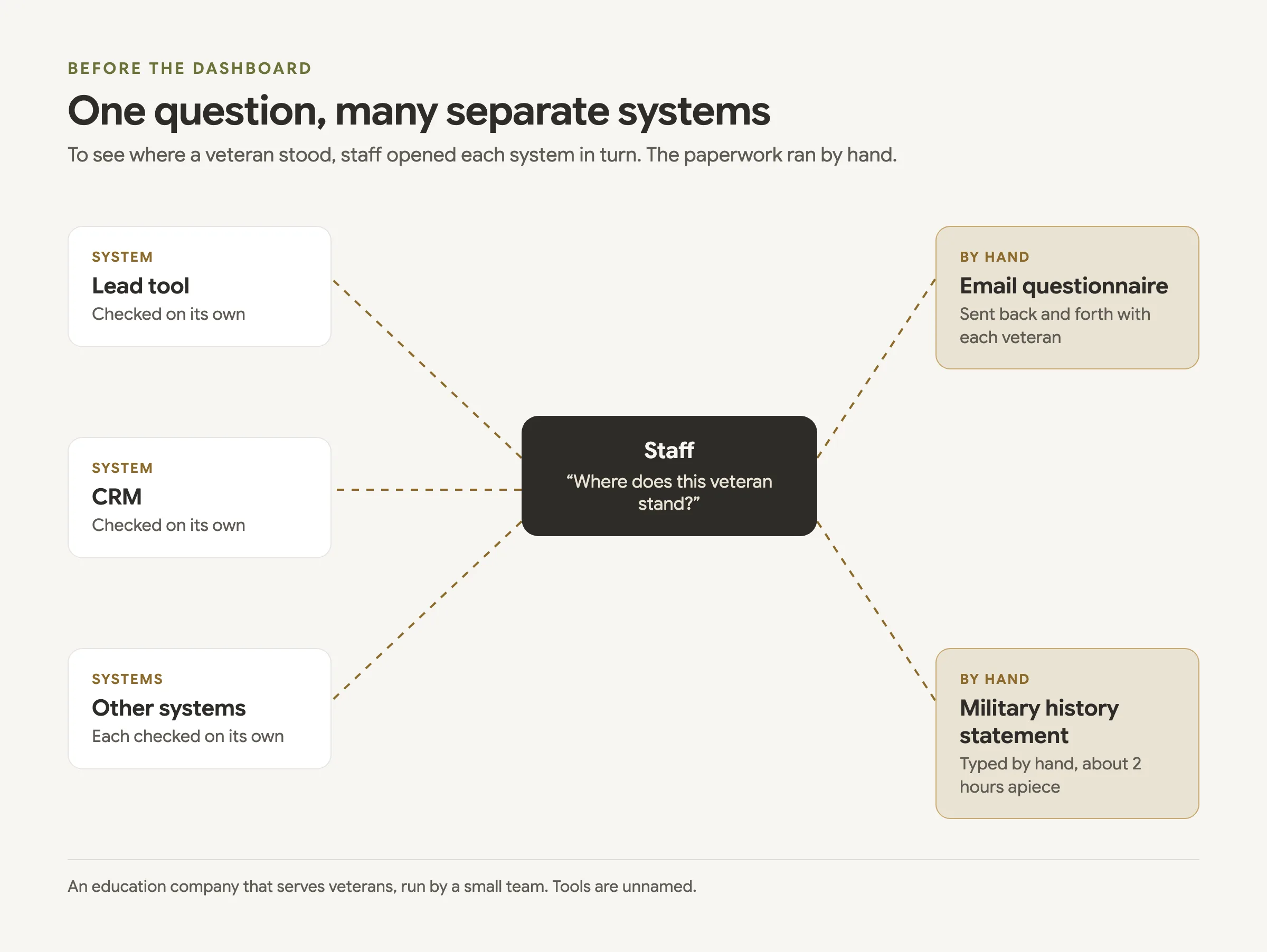
So your staff can see where each customer stands in one place, without opening every tool. Our client, an education company that serves veterans and is run by a small team, ran on many separate systems, a lead tool and a CRM among them. To see where a veteran stood, staff had to check each one.
The paperwork ran by hand too. Staff emailed a questionnaire back and forth with each veteran. Then they typed each military history personal statement by hand, about 2 hours apiece.
Most U.S. businesses are small. The SBA Office of Advocacy counts 36,207,130 small businesses in the United States, 99.9 percent of all businesses. The people this company serves form a large group as well: the Census Bureau counted 15.7 million veterans in 2024, 5.9% of U.S. civilian adults.
How do you connect business systems into one dashboard?
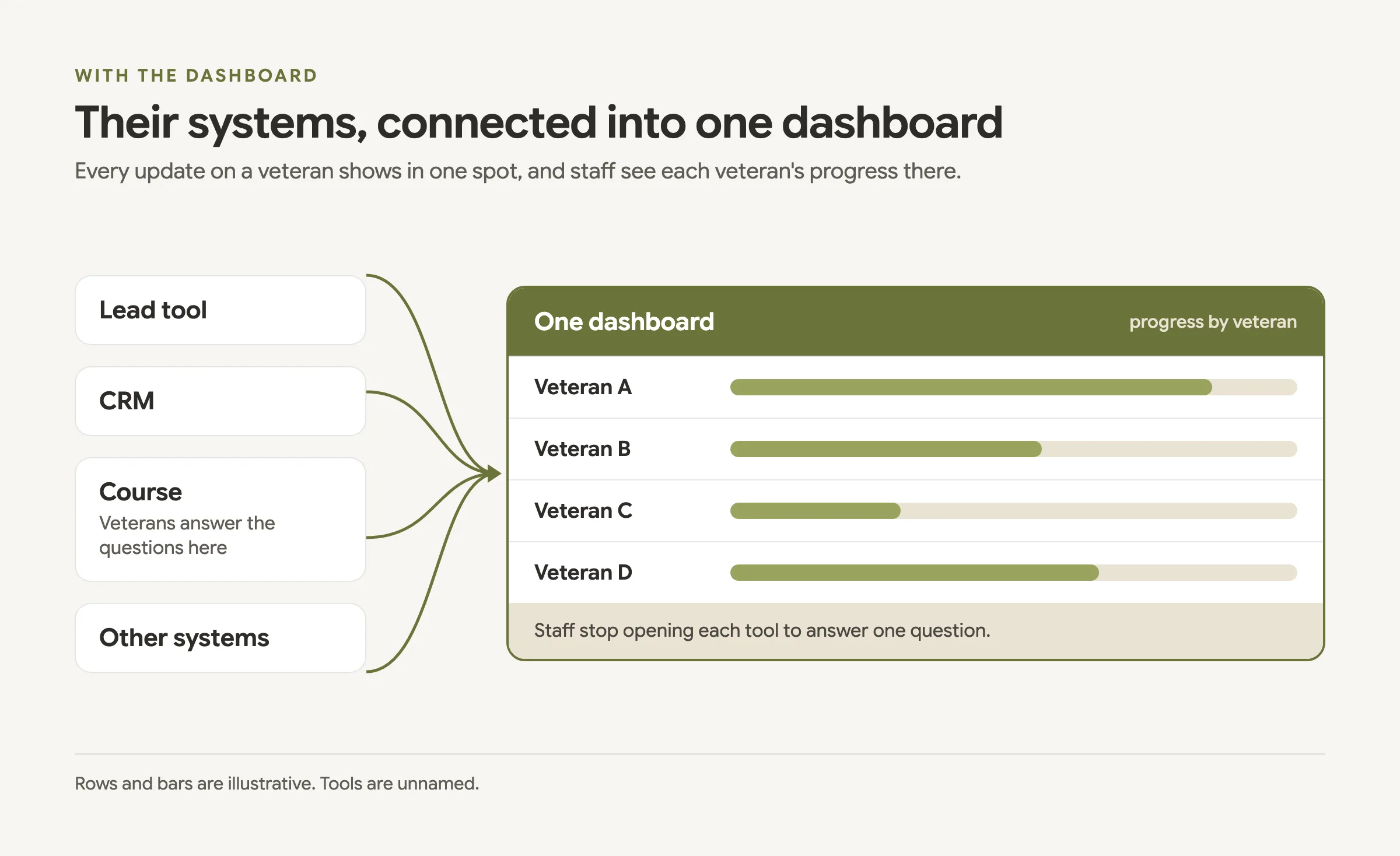
You start with the systems your team already uses and link them, so each update lands on one record per person. For this client the person is the veteran. We connected their systems into one dashboard, so every update on a veteran shows in one spot, and staff see each veteran's progress there.
You can do it in 4 steps. Our CRM and automations service starts the same way, by mapping how each lead reaches you.
- Map each path a person takes today, from the first inquiry to the final step.
- List the systems that hold a piece of that path, such as a lead tool and a CRM.
- Give each person 1 record that every system updates.
- Show those records in 1 dashboard, so staff stop opening each tool to answer one question.
Steps 3 and 4 are data work. Our data engineering service calls this mining: gathering the data you already own into one table.
How does the dashboard draft a military history personal statement?
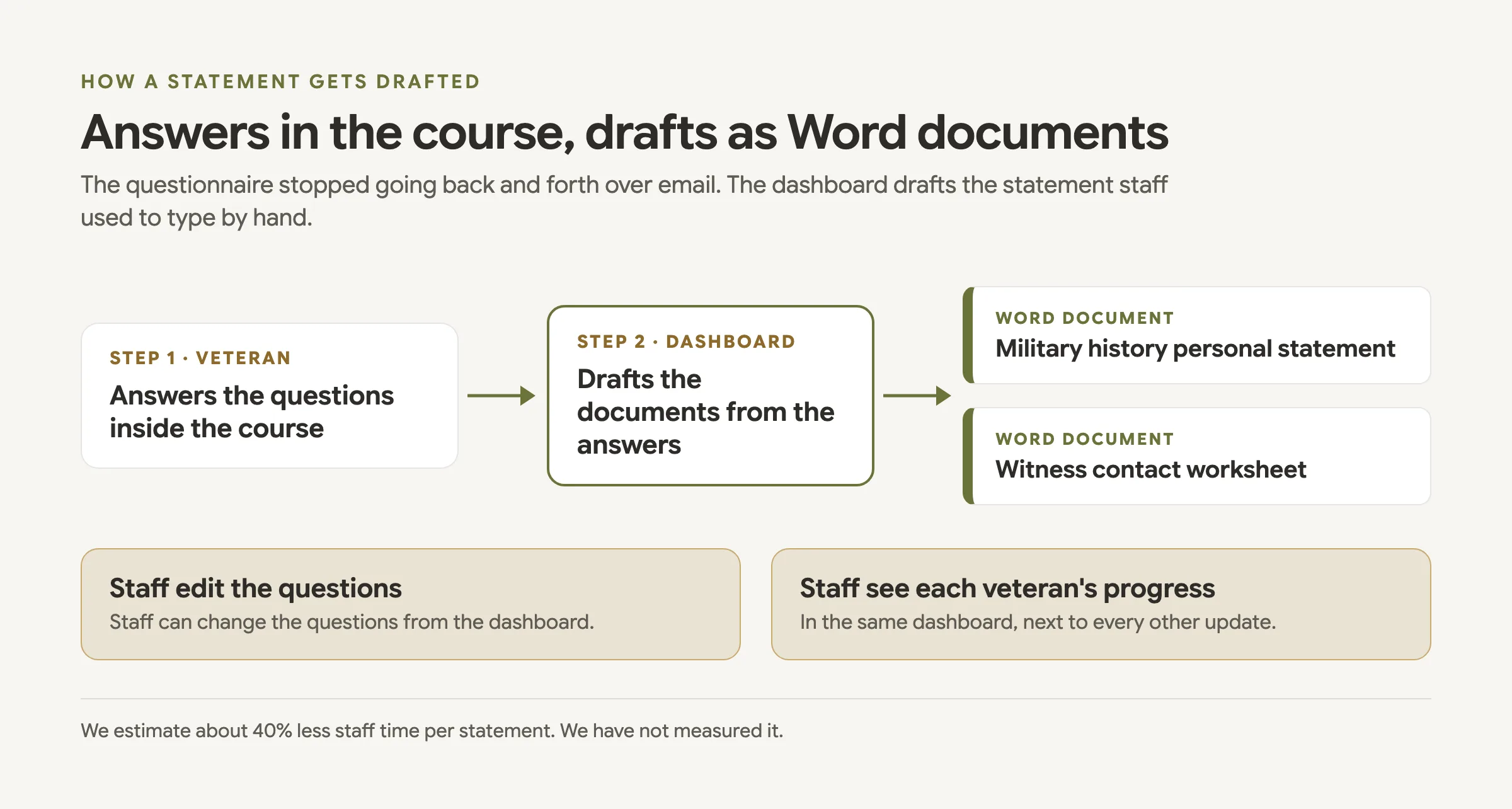
It drafts from the veteran's own answers. Veterans answer the questions inside the course, and the dashboard drafts 2 Word documents from those answers:
- The veteran's military history personal statement.
- A witness contact worksheet.
That replaces 2 manual steps: the questionnaire emailed back and forth, and the statement typed by hand. Staff can edit the questions from the dashboard, the same place they see each veteran's progress.
How much staff time does the dashboard save?
We estimate about 40% less staff time per statement. We have not measured it. The starting point was about 2 hours of typing for each military history personal statement.
In the last step of our six-step method, we compare results to the estimate, keep what worked and change what didn't. Until someone times real statements, we call 40% an estimate.
| Task | Before | With the dashboard |
|---|---|---|
| See where a veteran stands | Check each system | Every update shows in 1 spot |
| Collect the questionnaire | Emailed back and forth | Answered inside the course |
| Military history personal statement | Typed by hand, about 2 hours apiece | Drafted as a Word document |
| Staff time per statement | About 2 hours of typing | About 40% less (our estimate) |
How long did the build take?
About two months. We checked in with the team about once a week at the start, and most of the back-and-forth ran through email.
What can a small team copy from this build?
Start with the question your staff ask most, such as where a customer stands, and connect the systems that answer it. You can copy the shape of this build in 5 steps:
- List each system your staff open to answer that question.
- Pick the record those systems share, such as the customer.
- Send updates from each system to 1 dashboard.
- Move forms that bounce over email to a place your customers already visit.
- Write down your time estimate, then time the real work against it.
If your staff check several tools to answer one question, tell us what's piling up. We'll reply with where we'd start.
FAQ
What does it mean to connect business systems into one dashboard?
You link the tools your staff check separately, such as a lead tool and a CRM, so every update on a person shows in one spot.
What documents does the dashboard draft?
A military history personal statement and a witness contact worksheet, both as Word documents. It drafts them from the answers veterans give inside the course.
How much staff time does it save?
We estimate about 40% less staff time per statement. We did not measure it.
Can staff change the questions?
Yes. Staff can edit the questions from the dashboard, where they also see each veteran's progress.
How long did the build take?
About two months. We checked in about once a week at the start and kept most of the back-and-forth in email.

About the author
Drake founded Griffith Consulting Group, which finds where operations lose time and uses AI to fix it. At Delta Air Lines, Drake brought Python to the department, built a tool that cut the bid shell build from 5 to 8 minutes to 5 to 10 seconds, and used machine learning to sort complaint data into 20+ categories.
After college Drake became CTO of Actual Intelligence Labs, looked at businesses through an AI lens, found what to optimize and built the changes with real clients. In college Drake worked in digital engineering at Cause and Effect and managed six clients. Drake holds a B.S. in Industrial Engineering from Georgia Tech (spring 2026) and has been Lean Green Belt certified since June 2025. Read more about Drake.